Cancel your mailing list
How to cancel follow-ups?
You can easily stop bulk-messaging campaign if you've already launched it, so follow-up emails won't be sent to candidates who haven't respond to the first email.
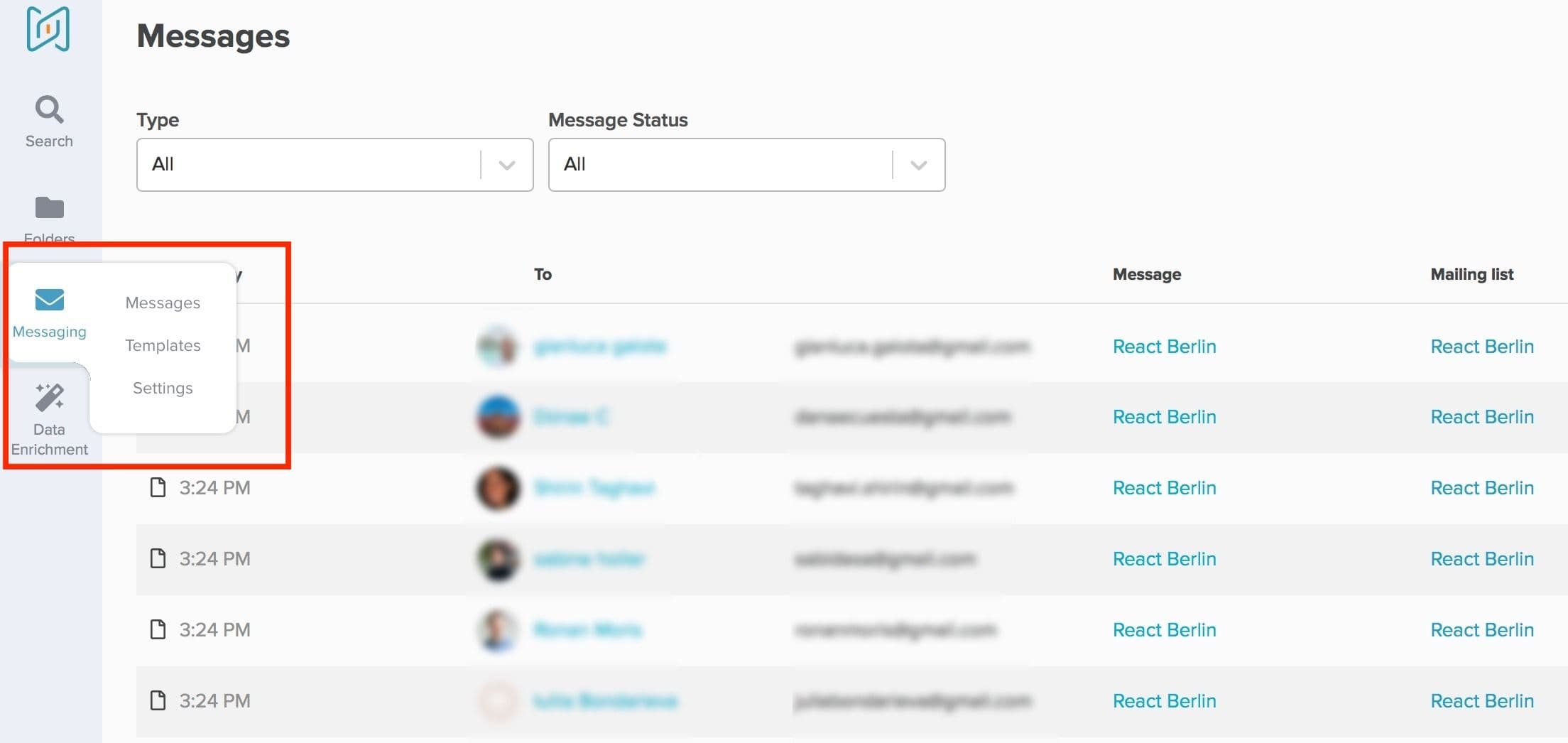
You can cancel your follow-up emails sending at any time by clicking on the message sent to your mailing list within the tab "Messages ".
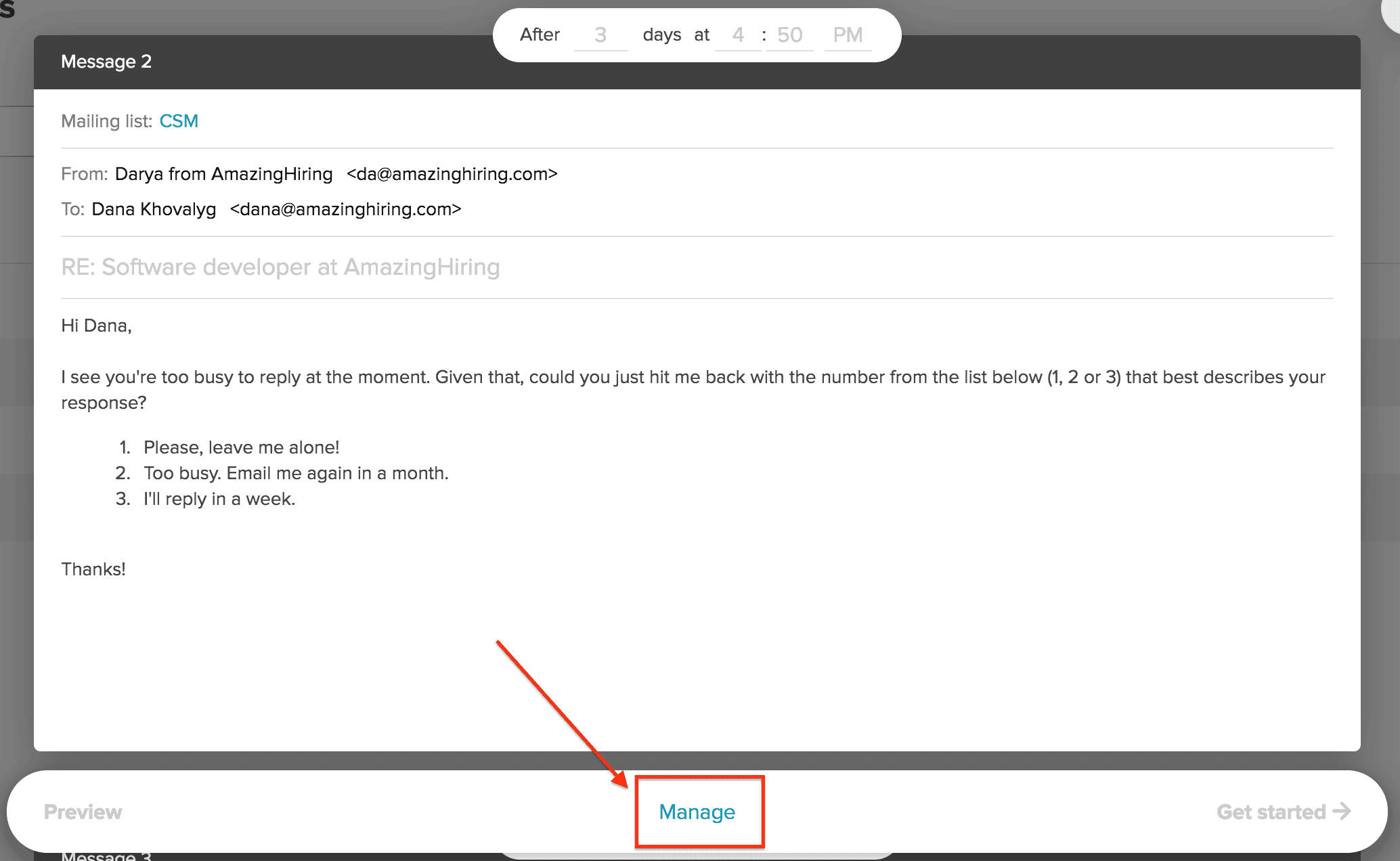
Then you should choose the "Manage " option.
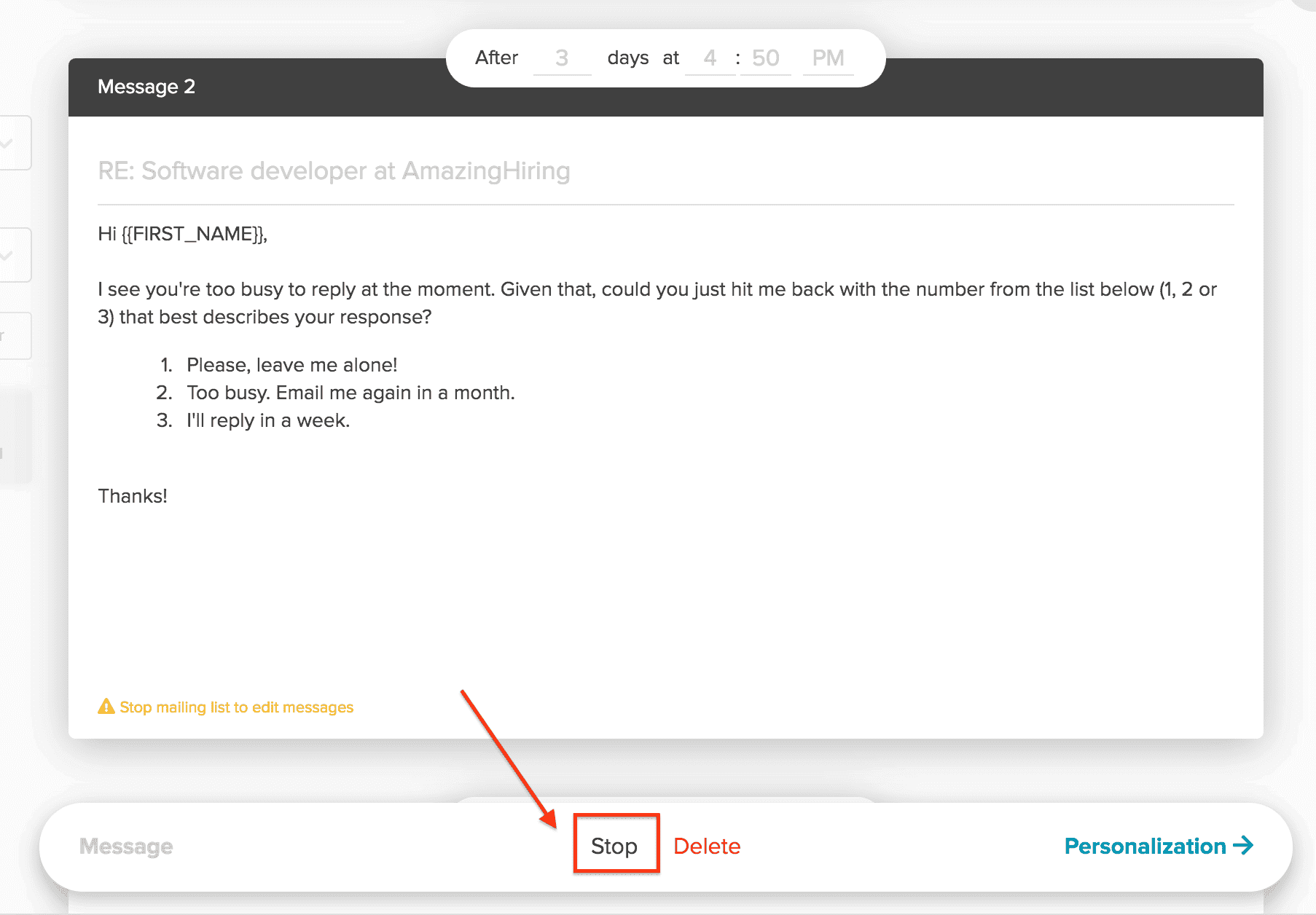
After that you can finally cancel the sequence by clicking on the "Stop " button.
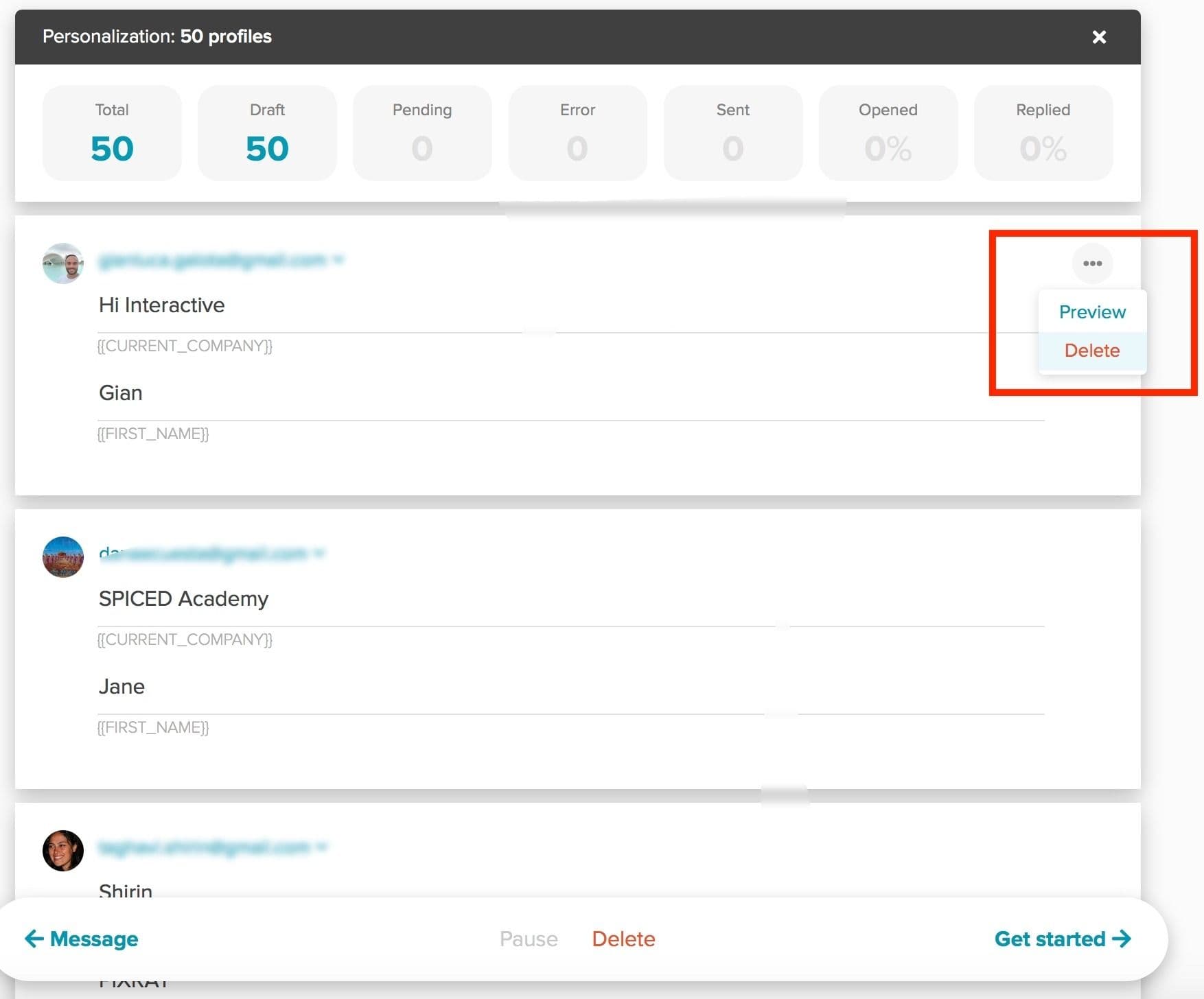
To remove a specific candidate from your sequence open "Personalization " stage, find your candidate and delete them by clicking on the three horizontal dots at the upper right and choosing "Delete ".
You might also be interested at: